
BOM Matching, Stock Sync, and ERP Connection: Keeping Part Records Consistent
A component mall must keep BOM matching, stock sync, and ERP connection aligned so part records stay consistent from quote to order.
The Part Record Is the Common Thread
In a component mall, every BOM line, stock position, and ERP entry depends on the same part record. If the manufacturer part number, package, and parameters are not identical across the BOM matching tool, the stock ledger, and the customer’s ERP, a single mismatch can break a quote or an order. Yuanxin builds the mall so that part records are created once and referenced everywhere: BOM matching uses the same identifiers as stock sync, and the ERP connection exchanges those identifiers rather than free-text descriptions. This avoids the common failure where a part is matched correctly in the BOM tool but appears as a different item in the warehouse or the customer’s system.
The consistency requirement starts at data entry. When a new part is added to the mall, its manufacturer part number, brand, package, and key parameters are stored in a structured format. The BOM matching engine reads these fields directly, so a buyer uploading a list of part numbers gets matches based on exact identifiers, not fuzzy text. The same record is used by the stock sync process, which means that when a warehouse operator receives a shipment or adjusts a quantity, the update is tied to the same part record that the BOM tool and the ERP connection see. Without this single source of truth, stock sync would update one version of a part while the BOM tool references another, and the ERP connection would propagate the inconsistency to the customer’s system.
For buyers, the practical benefit is that a part number searched on the storefront, added to a BOM, and later ordered through the ERP connection refers to the same item. The mall does not maintain separate part masters for different functions. This design also supports the product parameter display: the parameters shown on the part detail page are the same parameters used by BOM matching and stock sync, so there is no divergence between what a buyer sees and what the system processes. When a customer uses the model and image comparison feature, the comparison is based on the same structured records, ensuring that the comparison is meaningful and not a mix of inconsistent data.
How BOM Matching Feeds Stock Sync and ERP
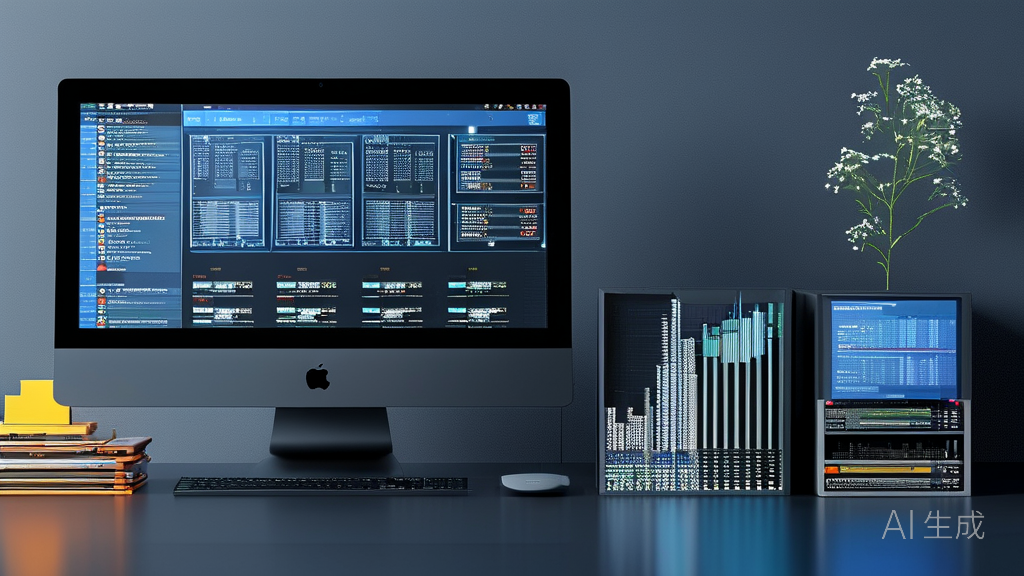
When a buyer uploads a BOM, the mall matches each line to a part record and checks availability against live stock. Spot and futures stock are kept in separate buckets, so the BOM result shows what can ship now and what is on order. The same part record is then used by the ERP connection to create or update the sales order, ensuring that the part number, quantity, and price tier are carried over without re-keying. For stock sync, any change in warehouse quantity or incoming futures updates the part record, and the ERP connection can pull those updates so the customer’s own system reflects the same availability. This closed loop means a BOM match is not a one-time event but part of a continuous record that stays consistent from inquiry to fulfillment.
The BOM matching process itself is designed to handle real buyer behavior. A buyer may upload a BOM with hundreds of lines, some with complete manufacturer part numbers and others with partial descriptions. The matching engine uses the structured part records to resolve each line, and when a line cannot be matched exactly, it flags the line for review rather than guessing. This prevents incorrect matches from entering the stock sync and ERP connection flow. Once a BOM is matched, the buyer can export the result as a purchase request or proceed to online contracting. The stock sync ensures that the quantities shown are current, and the ERP connection ensures that the order data is transferred to the customer’s business system in a format that system can accept.
Stock sync is not limited to a single warehouse. The mall supports multi-warehouse shipping and self-pickup, and each warehouse’s stock is maintained against the same part record. When a BOM is matched, the system can show availability by warehouse, and the buyer can choose a shipping or pickup option. The ERP connection then carries the selected warehouse and quantity to the order. If stock changes after the BOM is matched but before the order is placed, the stock sync updates the part record, and the ERP connection can reflect the new availability. This is particularly important for futures stock, where incoming quantities may change. The mall does not promise fixed lead times or amounts, but it does keep the part record consistent so that the buyer and the customer’s ERP see the same information at the time of order.
The ERP connection is built to exchange data in both directions. On the outbound side, the mall sends order details, including part numbers, quantities, prices, and contract references, to the customer’s ERP. On the inbound side, the customer’s ERP can send back order status updates or stock adjustments, which the mall uses to update the part record and stock sync. This two-way flow means that the customer’s business system and the mall remain aligned without manual reconciliation. For example, if the customer’s ERP records a return or a stock adjustment, that change can be reflected in the mall’s stock sync, and the next BOM match will show the updated availability. The goal is not to replace the customer’s ERP but to keep the part records consistent across both systems.
Implementation of this consistency requires attention to data governance. Yuanxin works with the customer’s administrator to define which fields are authoritative and how updates are propagated. The mall’s back office, delivered to the customer’s administrators, provides tools to manage part records, review BOM matching results, and monitor stock sync and ERP connection logs. This is not a public-facing back office; it is an administrative tool for the customer’s team. The data collection service, when used, only organizes part numbers and parameters that the customer has the right to publish and import into their own website. This ensures that the part records used in BOM matching, stock sync, and ERP connection are based on data the customer is authorized to use.
In practice, the consistency between BOM matching, stock sync, and ERP connection reduces the manual effort required to process orders. A buyer’s BOM is matched against structured part records, stock is checked and kept current, and the order is transferred to the customer’s ERP without re-entering part numbers. The mall also supports online inquiry and online quotation, so buyers can request quotes for BOM lines that are not immediately available. The quotation process uses the same part records, and when a quote is accepted, the order can flow through the same ERP connection. This end-to-end consistency is the core of the component mall’s value: it turns a BOM into an order with fewer errors and less manual work, while keeping the customer’s ERP and the mall’s stock in sync.
Common questions
How does BOM matching ensure that the part numbers in my BOM are matched to the correct stock records?
BOM matching uses structured part records that store the manufacturer part number, brand, package, and key parameters. When you upload a BOM, each line is matched against these records using exact identifiers. If a line cannot be matched exactly, it is flagged for review rather than guessed. The same part record is used by stock sync, so the availability you see is tied to the same item that was matched. This prevents a situation where a part is matched correctly in the BOM tool but appears as a different item in the warehouse.
What happens if stock changes after I match a BOM but before I place an order?
Stock sync continuously updates the part record when warehouse quantities or incoming futures change. If stock changes after you match a BOM, the updated availability is reflected in the part record. When you proceed to order, the system checks the current stock against the part record, and the ERP connection carries the latest availability to your order. You will see the updated quantities, and if a line is no longer available, you can request a quote or adjust the BOM. The mall does not guarantee fixed lead times or amounts, but it keeps the part record consistent so you and your ERP see the same information at the time of order.
How does the ERP connection handle part records that already exist in my own ERP system?
The ERP connection is designed to exchange identifiers rather than free-text descriptions. During implementation, Yuanxin works with your administrator to define which fields are authoritative and how part records are mapped between the mall and your ERP. The mall can use your existing part numbers as the reference, so that BOM matching and stock sync align with your ERP’s part records. When an order is created, the ERP connection sends the part numbers, quantities, and prices in a format your ERP can accept. If your ERP sends back updates, such as stock adjustments, those can be reflected in the mall’s stock sync. The goal is to keep part records consistent across both systems without replacing your ERP.
Can I use the BOM matching and ERP connection features if I also need multi-warehouse shipping and self-pickup?
Yes. The mall supports multi-warehouse shipping and self-pickup, and each warehouse’s stock is maintained against the same part record used by BOM matching and the ERP connection. When you match a BOM, the system can show availability by warehouse, and you can choose a shipping or pickup option. The ERP connection then carries the selected warehouse and quantity to your order. If stock changes in any warehouse, the stock sync updates the part record, and the ERP connection can reflect the new availability. This ensures that your BOM matching results and your ERP orders are consistent with the actual stock across all warehouses.